
Bouncing from Logic, Ableton, and Pro Tools: MP3 Settings That Match Your Mix
Your bounce sounds different from your session because of encoder defaults, not your ears. Sample rates, dither, and bitrate settings for each major DAW.
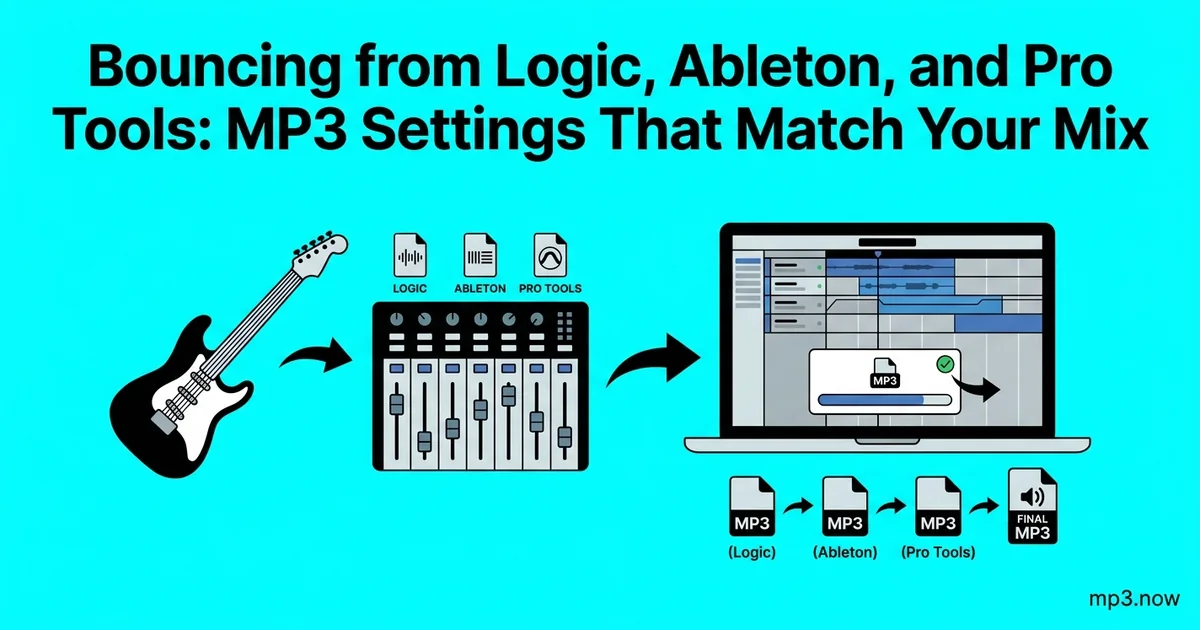
You spent three weeks on the mix. The reference bounce you sent yourself sounds thinner than the session, the low end feels softer, and the limiter seems to be working harder than it did in the control room. Before you touch a single fader, understand this: in most cases the mix is fine. What changed is the encoder. Logic, Ableton Live, and Pro Tools each wrap different defaults around their MP3 export — different bitrates, different sample-rate handling, different dither behavior — and those defaults, not your ears, are usually why the bounce does not match the session.
This guide walks through what actually happens when each major DAW renders an MP3, which settings matter, and why the most reliable workflow is often to bounce lossless and convert as a separate, controlled step.
What a bounce actually does
When you bounce or export, the DAW renders every track, plugin, and automation pass into a single stream at the session's internal resolution — typically 32-bit float at 44.1 or 48 kHz. If you export a WAV or AIFF, that stream is simply reduced to 16 or 24 bits and written to disk. If you export an MP3, two extra stages run: sample-rate conversion (if the encoder wants a different rate) and lossy encoding, where the codec discards audio data it predicts you will not hear.
Both stages have quality settings, and every DAW hides them in a different place. The audible differences people blame on "the MP3 sound" usually come from three sources:
- Bitrate too low. A 128 kbps default is audible on dense mixes — cymbals smear and reverb tails turn grainy. At 320 kbps the encode is transparent for nearly all listeners and material.
- Inter-sample peaks hitting the encoder. A mix limited to 0 dBFS can clip during MP3 encoding because the codec's reconstruction overshoots the sample values. Leaving about 1 dB of true-peak headroom before encoding prevents that crunch on transients.
- Unintended sample-rate conversion. A 96 kHz session bounced straight to MP3 gets resampled by whatever converter the DAW bundles, at whatever quality tier it defaults to. See the FAQ on 44.1 vs 48 kHz for why delivery targets usually want 44.1.
DAW by DAW: where the settings live
Logic Pro
Bounce (Cmd+B) offers MP3 as a destination alongside PCM. The MP3 pane exposes bitrate, VBR toggle, and joint-stereo options; the defaults are sensible but the quality slider under VBR is easy to miss. More important is the PCM side: if you bounce lossless, choose 24-bit AIFF or WAV, enable dither (POW-r is fine for a final master) only when going to 16-bit, and turn off Normalize unless you specifically want peak normalization applied. Logic will happily bounce MP3 and PCM in one pass — use that to keep a lossless reference of every MP3 you send.
Ableton Live
Live's Export Audio/Video dialog gained direct MP3 export in version 10.1, fixed at 320 kbps CBR — you cannot lower it, which for delivery is a feature, not a limitation. The settings that bite people sit above the MP3 toggle: Sample Rate (set it to your delivery target and let Live's high-quality resampler do the conversion rather than the encoder), Dither (only when reducing bit depth on the PCM export), and Normalize, which should generally stay off for mixes headed to mastering.
Pro Tools
Bounce to Disk offers MP3 as a file format, but the encoder options are sparse. Most Pro Tools engineers bounce a 24-bit WAV at the session rate and treat MP3 creation as a separate deliverable step — partly habit from the years when the MP3 option was a paid add-on, partly because it keeps one canonical master from which every compressed version derives.
The two-step workflow: bounce lossless, convert deliberately
Whatever your DAW, the most controllable pipeline is the same one mastering houses use:
- Bounce once, lossless. 24-bit WAV or AIFF at the session sample rate, true peaks no higher than about -1 dBTP. This is your master; archive it.
- Convert per destination. Run the master through a WAV to MP3 or AIFF to MP3 conversion at the bitrate each recipient needs — 320 kbps for anything where quality is the point, lower only when file size is the constraint.
- Never chain lossy encodes. An MP3 made from another MP3 stacks two generations of data loss. Always return to the WAV master for each new version. If someone sends you a low-bitrate file and asks for "a 320 version," a 320 kbps re-encode will satisfy a spec sheet, but it cannot restore what the first encode discarded.
The two-step approach also sidesteps DAW-specific encoder quirks entirely: the same LAME-class encoder with the same settings produces the same MP3 regardless of which DAW made the WAV.
Dither, in one paragraph
Dither is low-level noise added when you reduce bit depth — 32-bit float or 24-bit down to 16-bit — to prevent quantization distortion on fades and reverb tails. Apply it once, at the final bit-depth reduction, and never on the way to an MP3: lossy encoders work from the high-resolution stream and do their own noise shaping, so dithering first just hands the codec extra noise to encode. Rule of thumb: dither to 16-bit WAV for CD or archive; skip it when the destination is lossy.
CBR or VBR for your bounce?
Constant bitrate spends the same bits on silence as on a full-band chorus; variable bitrate allocates bits where the material is hard to encode, giving better quality per megabyte. For private references and quick uploads, VBR at the highest quality setting is excellent. For files going to clients, sync libraries, or unknown playback systems, 320 kbps CBR remains the zero-questions-asked choice — some older hardware and a few upload validators still mis-read VBR durations. The CBR vs VBR FAQ covers the trade-off in depth, and the MP3 vs WAV guide covers when to skip the MP3 entirely and send the master.
A settings cheat sheet
- Reference for the artist: 320 kbps CBR, 44.1 kHz, made from the 24-bit bounce.
- Mix revision rounds: VBR high quality is fine; label filenames with version numbers, not "final."
- Master to distribution: send the WAV or AIFF itself — distributors re-encode from lossless.
- Quick phone check: any bitrate; you are checking balance, not codec transparency.
The mix you approved in the session is recoverable in the bounce — it always was. Give the encoder headroom, give it bits, and keep one lossless master so every MP3 you ever need is one deliberate conversion away.