
Fixing Volume Jumps: Normalizing an Entire Music Library
One track whispers, the next blasts — because every album was mastered at a different loudness. Peak vs loudness normalization, and how to level a library without re-ripping it.
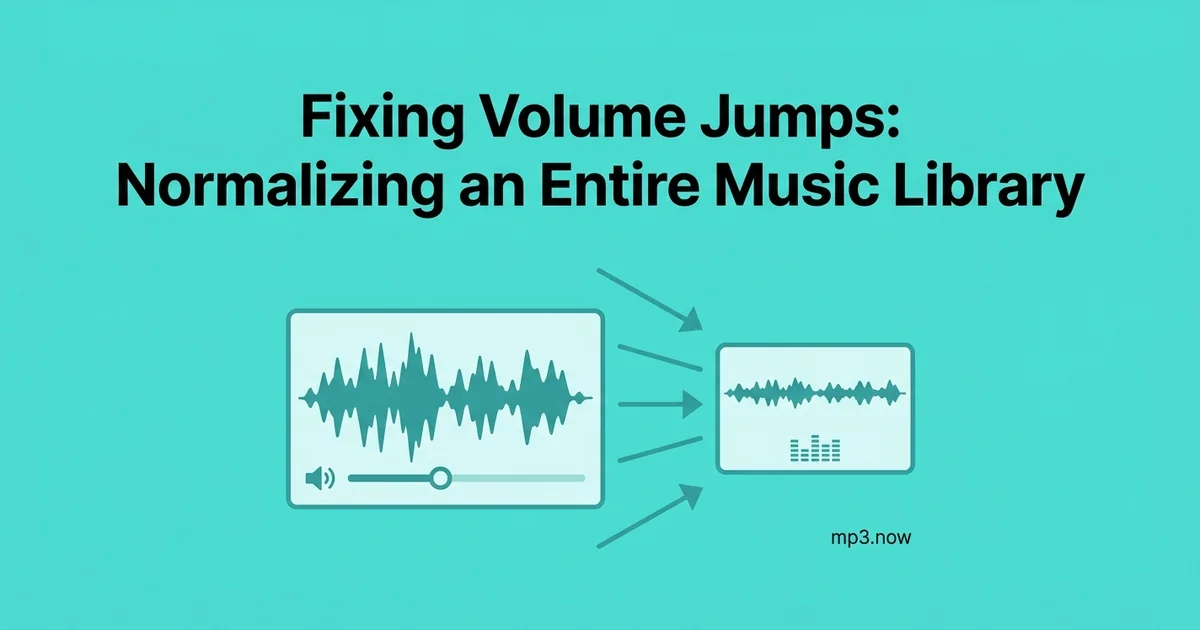
You know the ritual: a quiet acoustic album ends, a 2008 loudness-war remaster begins, and you lunge for the volume knob before your ears or your speakers give out. A music library assembled over decades — CD rips, download-store purchases, Bandcamp albums converted down, files from friends — is really a collection of mastering decisions made by hundreds of different engineers with hundreds of different ideas about how loud a record should be. Nothing is broken. Nothing matches, either.
This guide explains why the jumps exist, the two genuinely different meanings of "normalize," the tag-based alternative that fixes playback without touching your files, and a practical workflow for leveling an entire library without re-ripping anything.
Why every album is a different loudness
From the early 1990s to the mid-2010s, mastering engineers competed to make records louder, on the theory that louder grabs attention on radio and on shuffle. Compression and limiting pushed average levels up year by year — the "loudness war." A 1985 CD might average around −18 LUFS (the modern unit of perceived loudness); a 2005 rock record might hit −8. That is a difference you don't just notice — it physically startles you.
Streaming services ended the arms race by normalizing everything on playback: Spotify, Apple Music, and YouTube each pull tracks toward a reference level of roughly −14 to −16 LUFS. Your local library has no such referee. Whatever loudness the mastering engineer printed is the loudness you get, and shuffle mode turns that variance into whiplash.
Peak vs loudness normalization: two different fixes
"Normalize" is used for two operations that behave very differently, and picking the wrong one is why many people conclude normalization doesn't work.
Peak normalization
Finds the single loudest sample in a file and scales the whole track so that peak hits a target (say −1 dBFS). It guarantees no clipping — and does almost nothing for your problem. A heavily limited modern track and a dynamic jazz recording can share the same peak while one sounds three times louder, because perceived loudness tracks average energy, not the tallest spike.
Loudness normalization
Measures perceived loudness across the whole track — LUFS, which weights frequencies the way human hearing does — and adjusts gain so every track lands at the same target. This is what streaming services do, and it is the fix that actually makes shuffle listenable. The FAQ on audio loudness normalization goes deeper into the measurement.
- Use peak normalization when your only worry is clipping or maximizing level on a single file.
- Use loudness normalization when the goal is consistency across many files — the library problem.
The tag-based alternative: ReplayGain and Sound Check
Before you rewrite thousands of files, know the non-destructive option. ReplayGain (and Apple's Sound Check) analyzes each track, computes how far it sits from a reference loudness, and writes the answer into the file's metadata. A compatible player reads the tag and adjusts its own volume on the fly; the audio data is never modified.
- Pros: zero quality cost, reversible by deleting a tag, and it supports both per-track and per-album modes so albums keep their internal dynamics.
- Cons: it only works in players that honor the tags. Foobar2000, VLC, Plex, and most serious library players do; plenty of car head units, cheap Bluetooth speakers, and basic phone apps ignore them completely.
The decision rule is simple: if you always listen through one tag-aware player, tags are the better fix. If your files travel — USB sticks, phones, other people — you need the loudness baked into the audio itself.
Baking it in: the re-encode workflow
To make files that play at consistent volume everywhere, adjust the actual audio. The MP3 normalizer does this per file: upload, normalize, download a version aligned to a consistent target. For a library pass, work album by album rather than dumping five thousand files in at once:
- Triage first. Most complaints trace to a minority of albums — the very quiet and the very loud outliers. Fix those and the library may already feel level.
- Prefer album-level thinking. Normalizing every track independently destroys deliberate quiet songs (the interlude is supposed to be quieter than the single). Process an album's tracks with the same adjustment where you can.
- Mind the headroom. Raising a quiet track toward a loud target can push peaks into clipping; good normalization applies limiting or settles slightly short. Aiming near the streaming-standard −14 LUFS leaves sensible margin.
- Keep originals until you've listened. Any gain change to an MP3 involves re-encoding, which costs a small amount of quality. Done once at a decent bitrate it is inaudible; done carelessly it isn't reversible.
A note on MP3Gain-style tools
One historical tool deserves mention: MP3Gain adjusted the global gain field inside each MP3 frame — no re-encode, in 1.5 dB steps, fully reversible. It is clever and still works, but the project is essentially unmaintained and the 1.5 dB granularity is coarse. It remains the right answer for people who refuse any re-encode on principle; for everyone else a single normalize pass is simpler.
While you're in there: the consistency pass
A library-wide pass is the natural moment to fix the other inconsistencies you've been living with. Wildly mixed bitrates — the 96 kbps strays from 2003 next to 320 kbps rips — can be evened out with the MP3 bitrate changer, though remember the one-way rule: dropping bitrate saves space, raising it never restores quality. If some albums exist twice in different formats, keep one. The goal is a library where any track can follow any other without you reaching for anything.
The bottom line
Volume jumps are mastering history, not file damage. Peak normalization won't fix them; loudness normalization will. Use ReplayGain-style tags if you control the player, bake the levels in with a normalize pass if your files travel, work album-by-album, and keep originals until your ears have signed off. A weekend of triage buys you years of shuffle without the volume-knob lunge.