
Upsampling Myths: Why Converting 128 kbps to 320 Won't Improve Sound
Re-encoding a low-bitrate MP3 at 320 kbps produces a bigger file that sounds identical — or worse. What generation loss actually does, and when re-encoding upward is still justified.
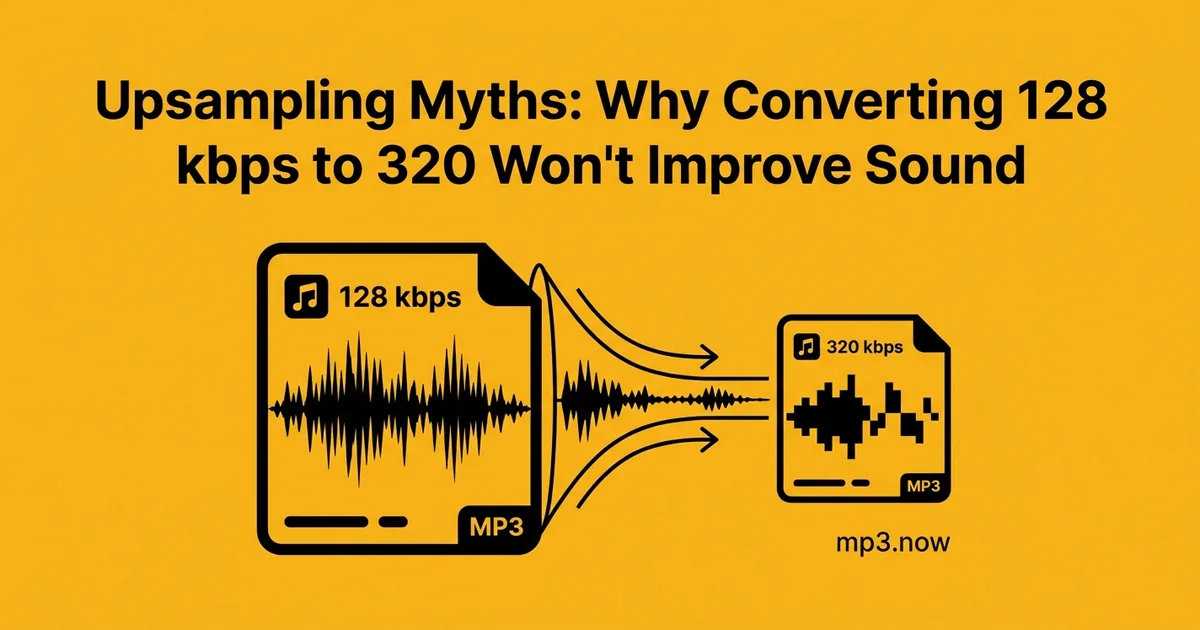
It is one of the most tempting ideas in digital audio: take that old 128 kbps MP3, run it through a converter at 320 kbps, and enjoy the upgrade. The file comes out two and a half times bigger, the properties panel proudly reports "320 kbps," and absolutely nothing about the sound has improved. In the best case it is identical; in the worst case it is measurably a little worse. This article explains exactly why upward re-encoding cannot work, what generation loss does to a file, how to spot fake "high bitrate" files, and the handful of situations where re-encoding upward is nevertheless the right move.
Why the upgrade is impossible
MP3 is a lossy format. When a track was first encoded at 128 kbps, the encoder — guided by a model of human hearing — permanently discarded the audio data it judged least audible: subtle high-frequency content, detail masked by louder sounds, fine spatial information. That data is not compressed into some recoverable form inside the file. It is gone, the way a paragraph deleted from a document before saving is gone. (What bitrate governs, and what it does not, is laid out in this bitrate guide.)
When you re-encode that file at 320 kbps, the encoder decodes the 128 kbps audio — reconstructing only what survived the first encode — and then describes that reconstruction using a much bigger data budget. It is a high-fidelity description of an already-degraded signal: a meticulous tracing of a blurry original. The blur is preserved perfectly. Bitrate is a ceiling on quality, never a floor: a 320 kbps file can sound no better than its source, and the source here is a 128 kbps encode.
Worse than nothing: generation loss
Re-encoding is not even guaranteed to be neutral. Every lossy encode makes fresh psychoacoustic decisions about what to discard, and it makes them against the already-processed signal — including the first encoder's artifacts, which the second encoder dutifully spends bits describing while shaving off a little more genuine detail at the margins. This is generation loss, and it compounds: encode a file five times in a row, even at high bitrates, and the swishy, smeared quality becomes plainly audible. One upward re-encode does mild damage that most listeners will not consciously notice — but "slightly worse and 2.5x larger" is a poor trade under any accounting.
The practical corollary is worth stating plainly: always convert from the best source available. If you want a 320 kbps file, encode it from the CD, the WAV master, or the FLAC — never from another MP3. The relationship between those source formats is covered in MP3 vs FLAC.
Spotting fake bitrates
Upsampled files are everywhere — old download-era collections are full of 128 kbps rips relabeled as 320. The properties panel cannot help you; it faithfully reports the container's bitrate, which is precisely what was faked. Two honest detection methods:
- Spectral analysis. A spectrogram (free tools like Spek or Audacity's spectrogram view) shows frequency content over time. Genuine 320 kbps encodes carry energy to roughly 20 kHz; 128 kbps encodes typically cut off sharply around 16 kHz. A "320" file with a hard shelf at 16 kHz spent most of its life at 128.
- Your ears, honestly deployed. Compare against a known-good copy of the same track on the same equipment. If you cannot hear a difference, the forensic answer may not matter much for listening purposes.
When upward re-encoding is actually justified
None of this means a convert-to-320 tool is useless — it means the tool is for compatibility, not quality. Legitimate cases:
- Platform minimums. Some DJ pools, submission portals, and distribution services enforce a bitrate floor and reject anything under, say, 192 kbps. Re-encoding upward gets a technically compliant file when no better source exists. Quality stays at source level, but the upload succeeds.
- Devices that dislike VBR or low bitrates. Some older hardware skips, misreports duration, or refuses playback on variable-bitrate or unusual files. Re-encoding to a constant bitrate with a bitrate changer fixes real playback bugs — CBR at any reasonable rate, chosen for the device, not for imagined fidelity. (The distinction is explained in CBR vs VBR.)
- Uniformity before merging. Joining files into one continuous MP3 works most reliably when every segment shares the same bitrate and sample rate; re-encoding the odd file out to match the rest is standard prep.
In every legitimate case, notice the goal: making a file acceptable to a system, never making it sound better. Label such files honestly in your own library so future-you does not mistake them for true high-bitrate rips.
What to do instead of upsampling
- Re-rip or re-buy from a lossless source when the music matters to you — a fresh 320 kbps or FLAC copy from the original master is the only genuine upgrade path.
- Keep low-bitrate originals as they are. A 128 kbps file stored at 128 kbps is honest and space-efficient; the same audio in a 320 kbps wrapper is the identical sound at 2.5x the cost.
- Spend effort where it is audible. Consistent loudness across a library, sensible formats per device, and good sources improve real listening; ceremonial re-encoding does not.
The myth persists because the numbers go up and numbers feel like quality. But an encoder cannot testify to detail it never received. Convert downhill freely, convert uphill only when a machine demands it, and when you want files to sound better — go back to the source.